To clear your browser data in Safari using an iPad:
To clear the data, go to Settings > Safari > Clear History and Website Data and then select 'Clear'.
To clear your browser data in Safari using an iPad:
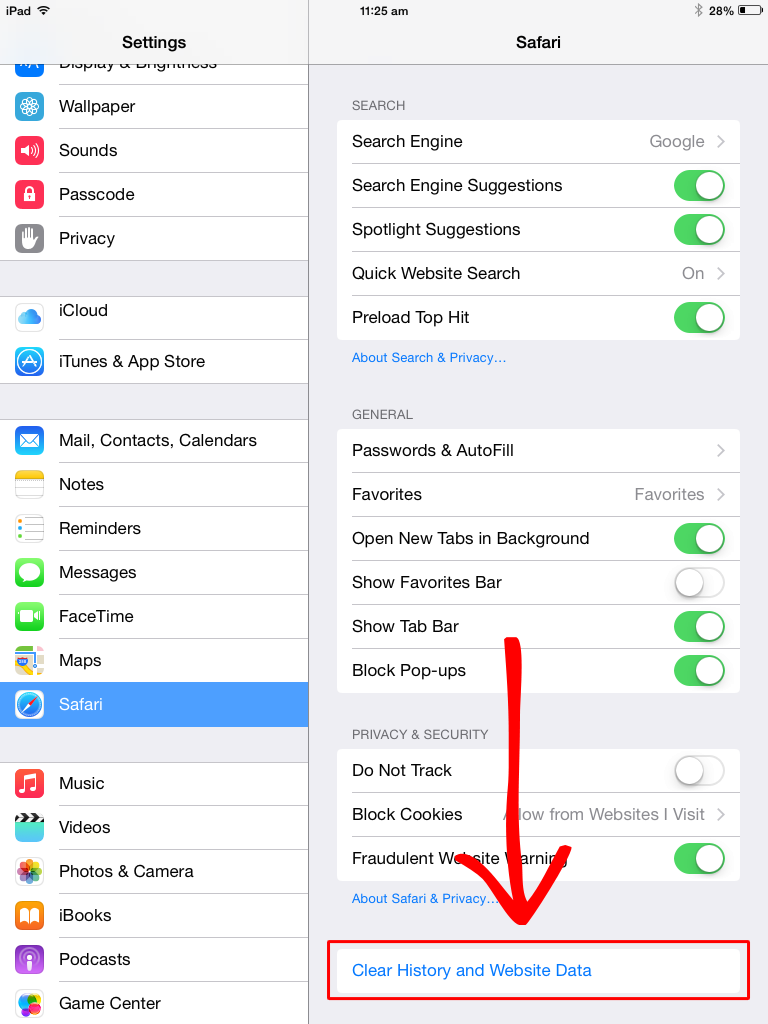
To clear the data, go to Settings > Safari > Clear History and Website Data and then select 'Clear'.
Comments